Free online font maker
Handwriting Font Generator: Draw Your Own Font Online
Transform your handwriting and calligraphy into fully functional vector fonts. Every letter is drawn by you, refined with adjustable spacing and clean outlines, and exported as OTF/TTF that works anywhere.
Free forever for your first font · No card required
Draw · Refine · Build
Make Your Own Font in Three Steps
From a blank grid to an installable font: draw each letter, refine the spacing, then build your custom vector font.
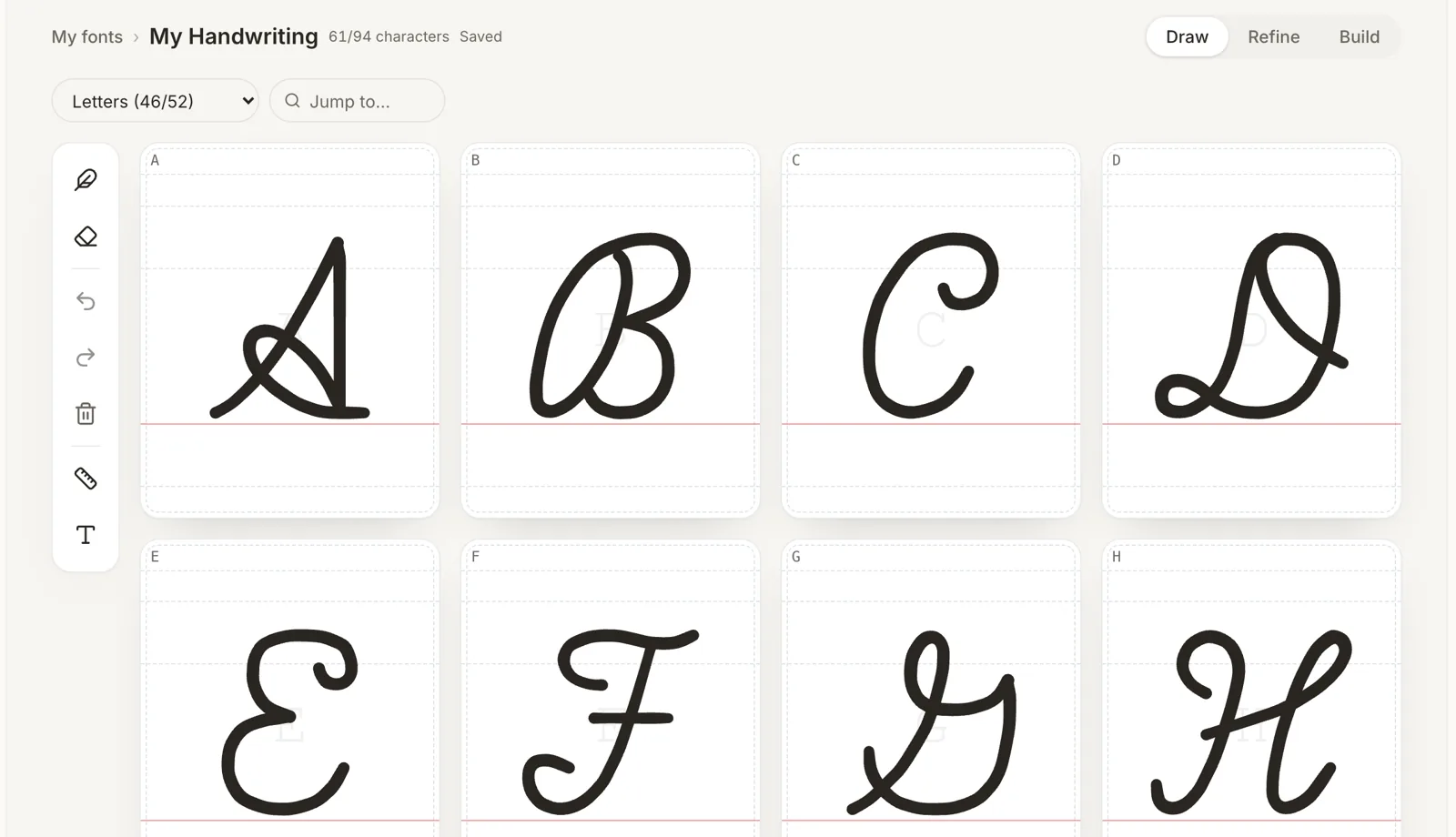
1. Draw your letters
Every character gets its own cell with baseline guides and a faint reference letter. Write in print, cursive or calligraphy with a mouse, finger or stylus — pressure and palm rejection included.
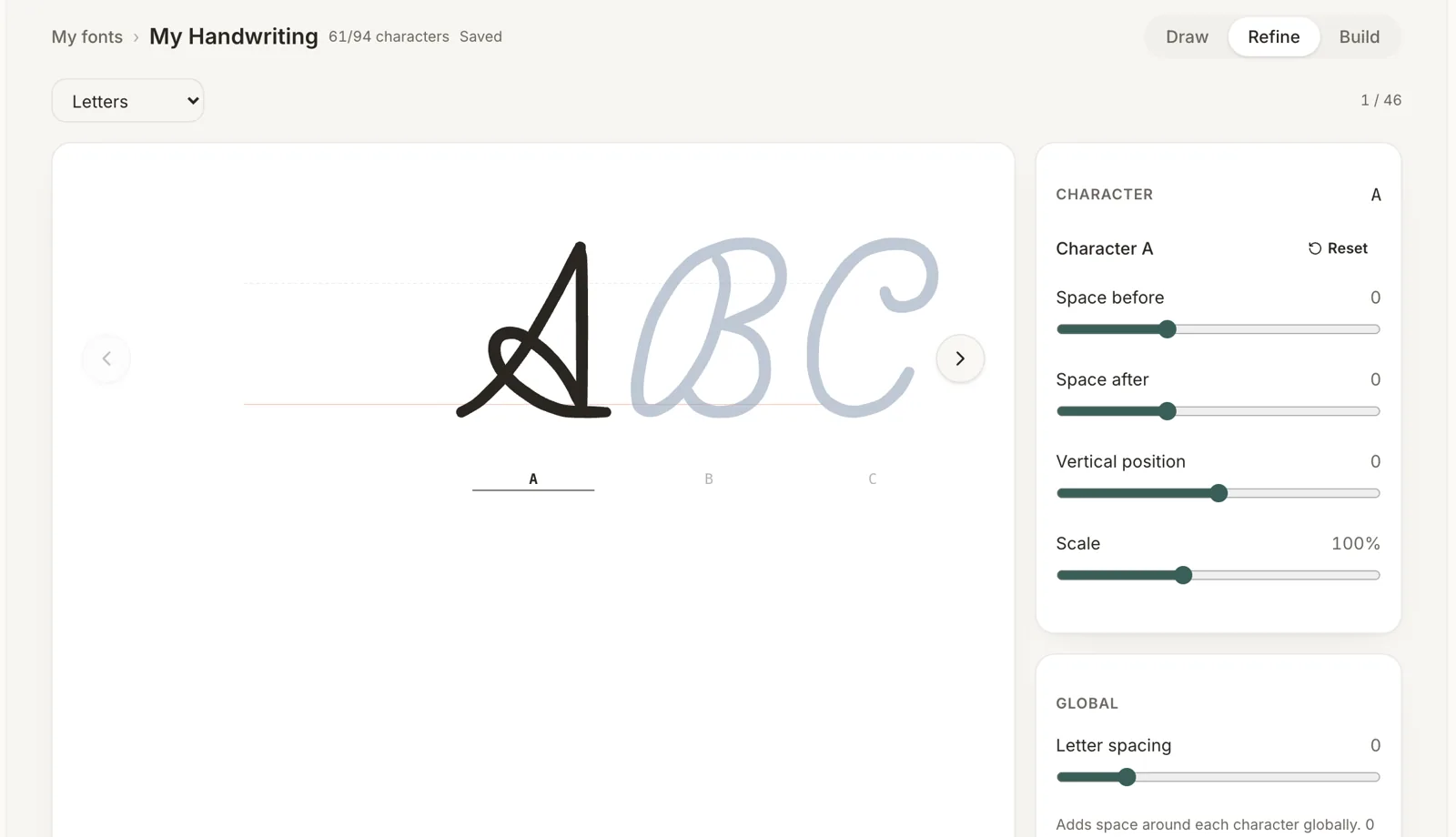
2. Refine spacing and outlines
Tune space before and after, vertical position and scale for each character, plus global letter spacing. Neighbouring letters are shown so the rhythm of your handwriting stays natural.
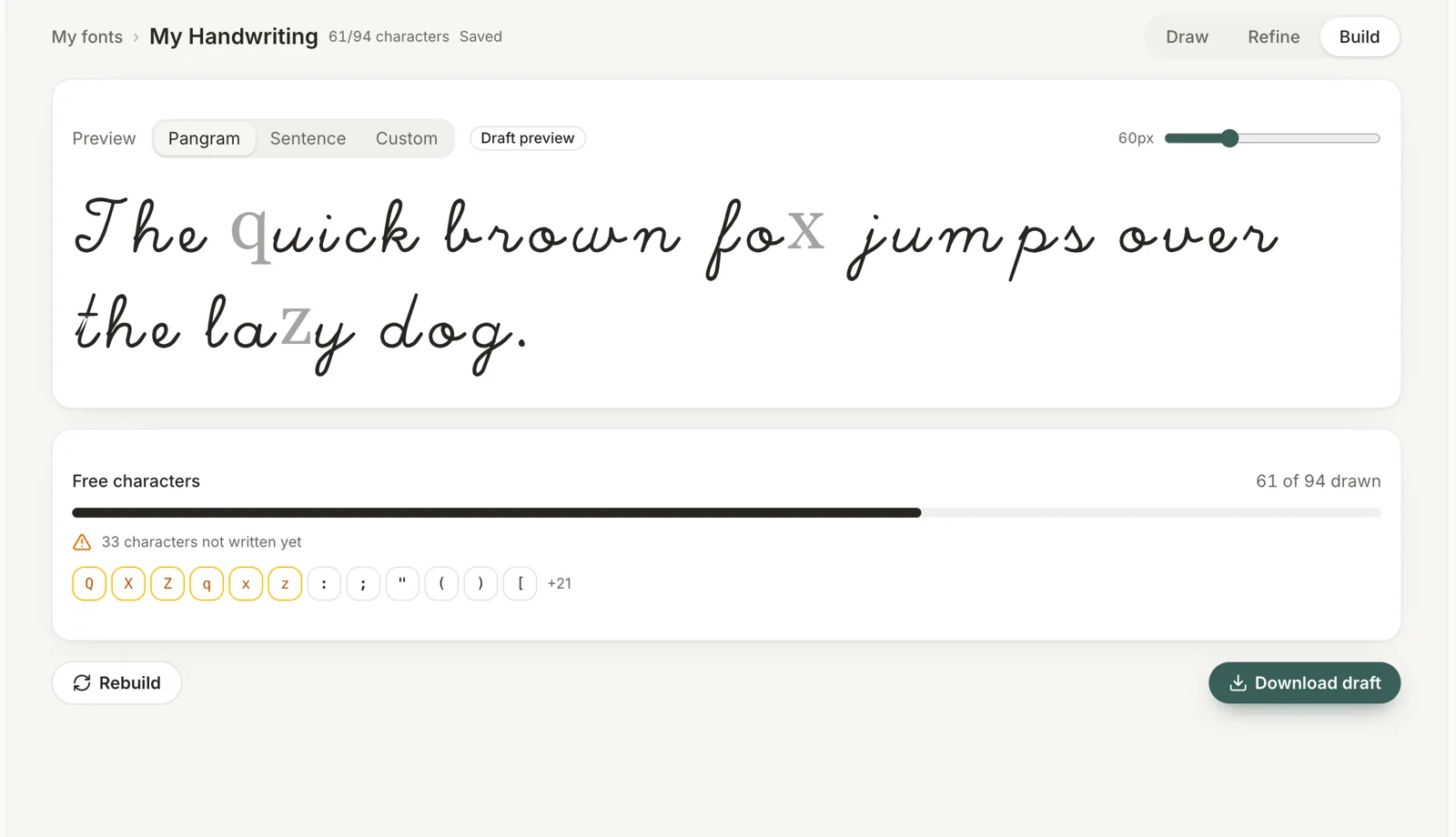
3. Build and download your font
Preview pangrams or your own text in the finished font, see exactly which characters are still missing, and download OTF and TTF files for Mac, Windows and design tools.
Built for real handwriting
A Custom Font Maker for Handwriting and Calligraphy
Cursive, print, brush lettering or formal calligraphy — draw whatever style is yours. Each stroke becomes a clean vector glyph, with no printed templates to scan and no borrowed outlines.
Calligraphy-ready brushes
Switch between pen, marker and fountain-nib brushes with adjustable thickness, so brush lettering and calligraphy keep their character in the final font.
Real vector fonts
Strokes are converted into vector outlines and compiled into OTF and TTF files, so your letters stay crisp at any size.
Looks good even with a mouse
Adjustable smoothing turns shaky strokes into clean, confident lines — no tablet required.
Alternates and ligatures
Save up to three versions of a letter and add your own ligatures, so repeated letters don't look stamped and your font feels hand-written.
Honest about missing letters
Characters you haven't written show as placeholders, never a borrowed system font. Incomplete fonts download clearly marked as drafts.
Works across devices
Start on your laptop, keep writing on a tablet. Progress saves on the device first and syncs safely without overwriting your other edits.
Simple pricing
Start free. Pay only when you love it.
Your first font is free forever. Unlock a single font for $5.99 and keep it, or make unlimited fonts with Studio.
Free
$0Forever. No card required.
Start drawing free- 1 handwriting font
- Letters, numbers & basic punctuation
- Personal use
Pro Font
$5.99per font · once
Unlock a font- Full character set — 600+ glyphs
- Commercial licence
- Cloud backup & re-download
Studio
$8.99/month
Get Studio- Unlimited Pro font unlocks while subscribed
- Every Pro feature on every font
- Cancel anytime — downloaded fonts stay yours
Handwriting to Font FAQ
What to know before you make your own font.
From the blog
Guides on handwriting fonts, calligraphy and type design.
Image to Font: Turn a Photo of Your Handwriting into a Font
How image to font conversion works, how to photograph or scan your handwriting for the best result, and what is coming to HandFonty.
 HandFonty
Handwriting Font AI: How AI Can Help You Make Your Own Font
What a handwriting font AI can and can’t do, where AI genuinely helps when you turn handwriting into a font, and what HandFonty is building.
HandFontyYour handwriting, in every document.
It takes about twenty minutes to draw the alphabet. Start now and pick up on any device.